
Test & Debug webhooks
Learn how to send fake event and see webhooks logs from the Dashboard.
Testing account
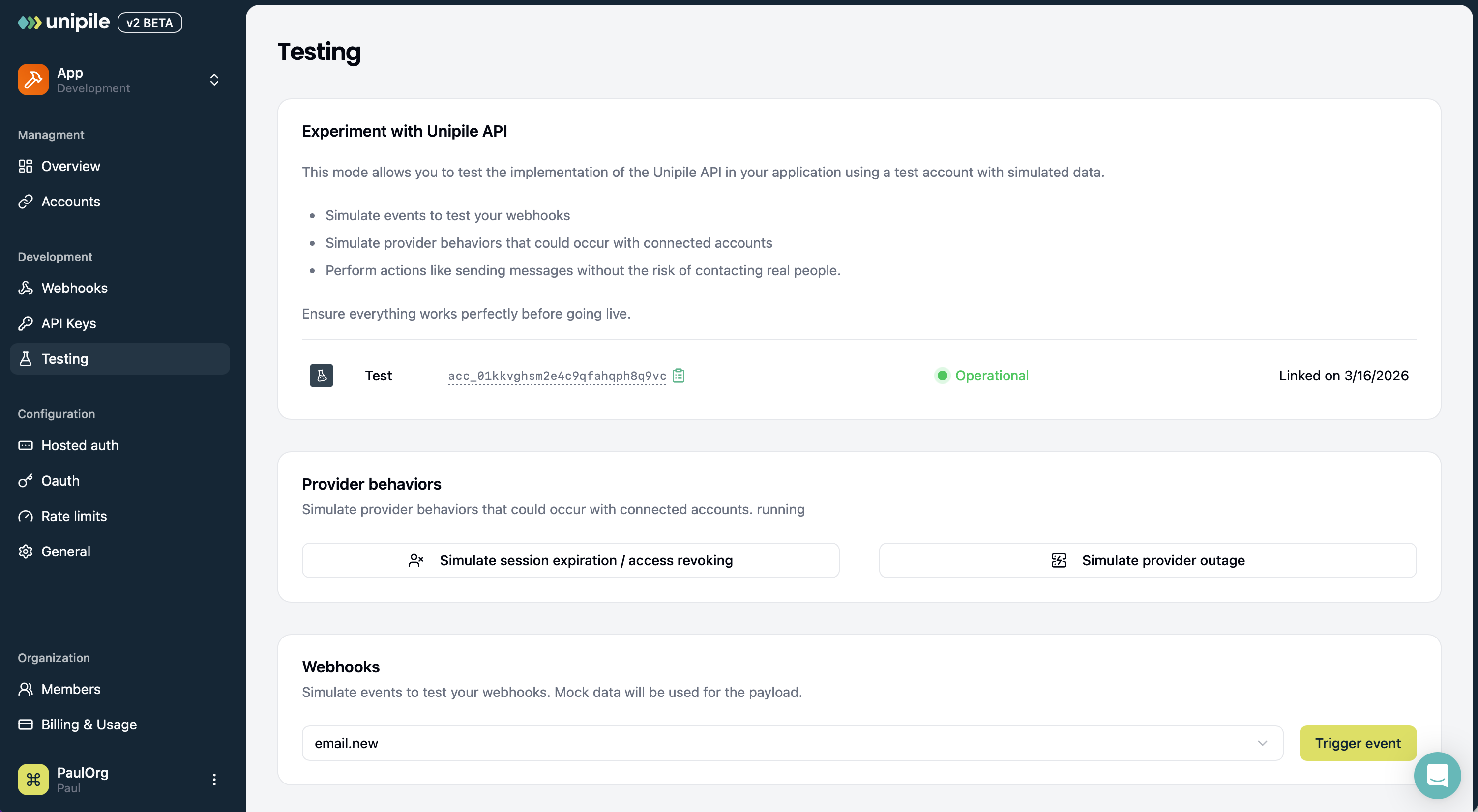
Instead of relying on real accounts to test webhooks—which can make certain event types difficult to reproduce—Unipile provides test accounts that let you manually trigger supported events directly from the dashboard.
In the Testing tab of the dashboard, link a test account if you have not already done so. Connecting a test account will automatically trigger the account.connected and account.status.running events.
Then, in the Webhooks section, select an event type and click Trigger Event. The event will be emitted exactly as it would be for a real account, but with mock data.
In the Provider behaviors section, you can also simulate provider behaviors to trigger account related events like authentication expiration or provider outages.
Webhook logs
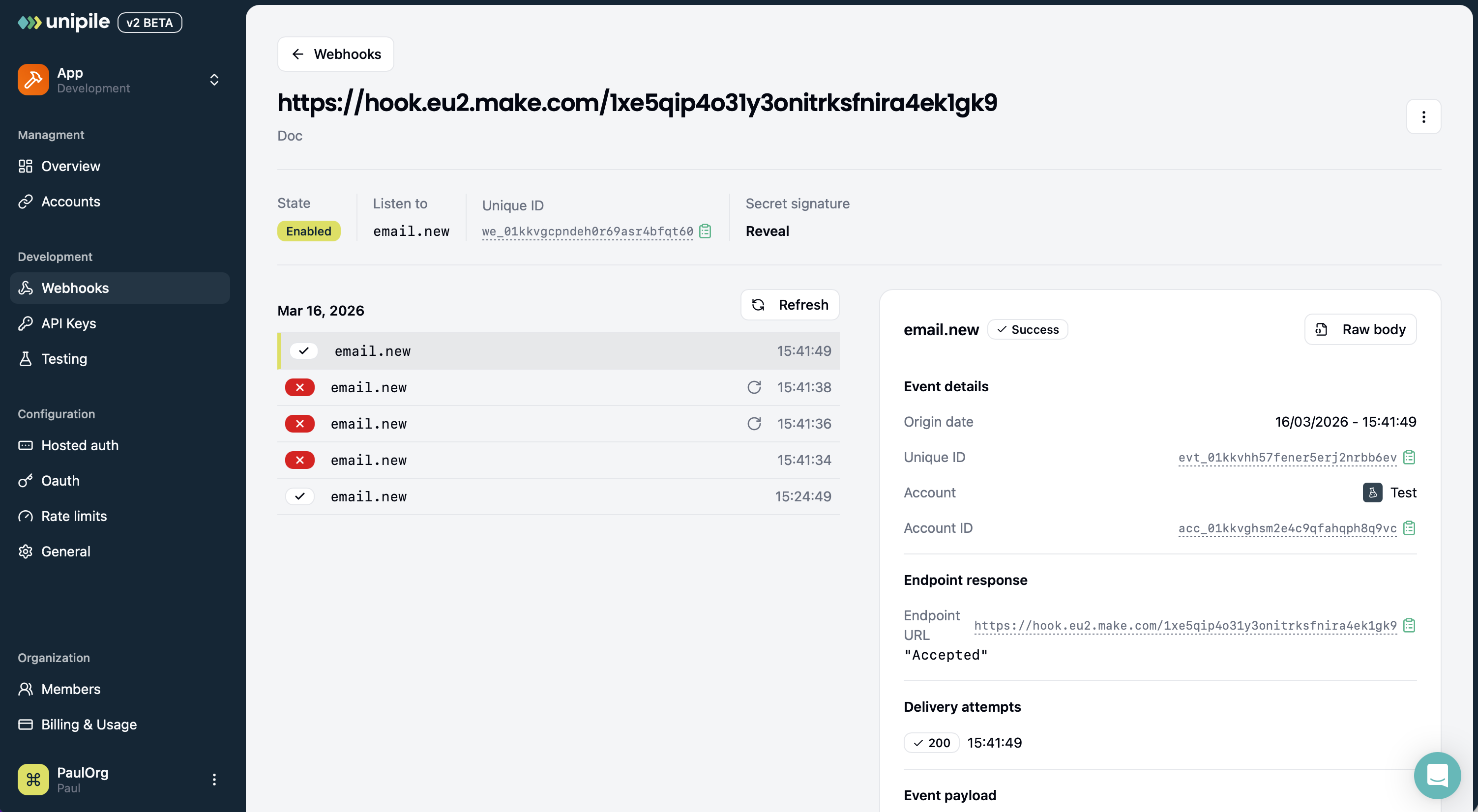
To verify the good delivery of events, click on a webhook in the Webhooks tab list to open the debugging tool.
Monitor the event log
The event log on the left displays a chronological list of event delivery attempts. Each entry show the delivery status, the event type, if the delivery is a retry, and the timestamp.
Investigate event details
By clicking on an event delivery attempt in the list, the event detail view opens on the right. From here, you can get informations about the event sent, as well as the endpoint response for the selected delivery attempt, and all the delivery attempts to your endpoint along the status code.
Updated 2 months ago