
Zapier
Learn how to create scenarios using Unipile with Zapier.
Make triggers with Webhooks
Let say we want to initiate a zap when a new email is received.
- Select your trigger and choose Webhooks in Popular built in tools
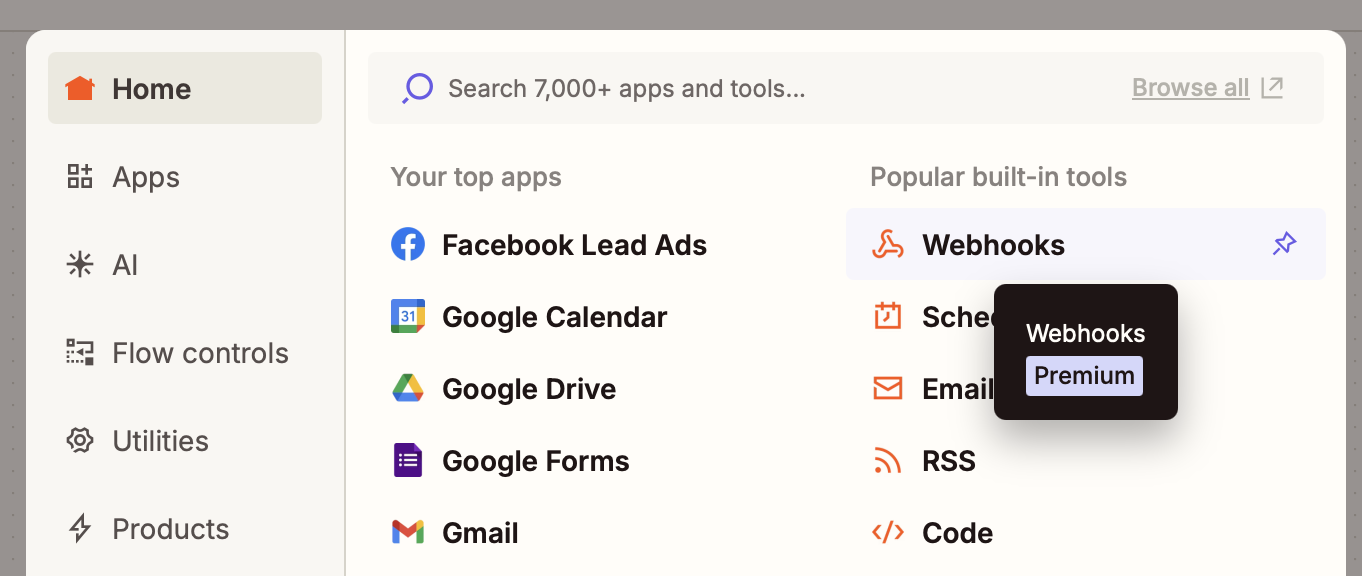
- Set Catch Hook in Trigger event
- Click Continue until the Test tab
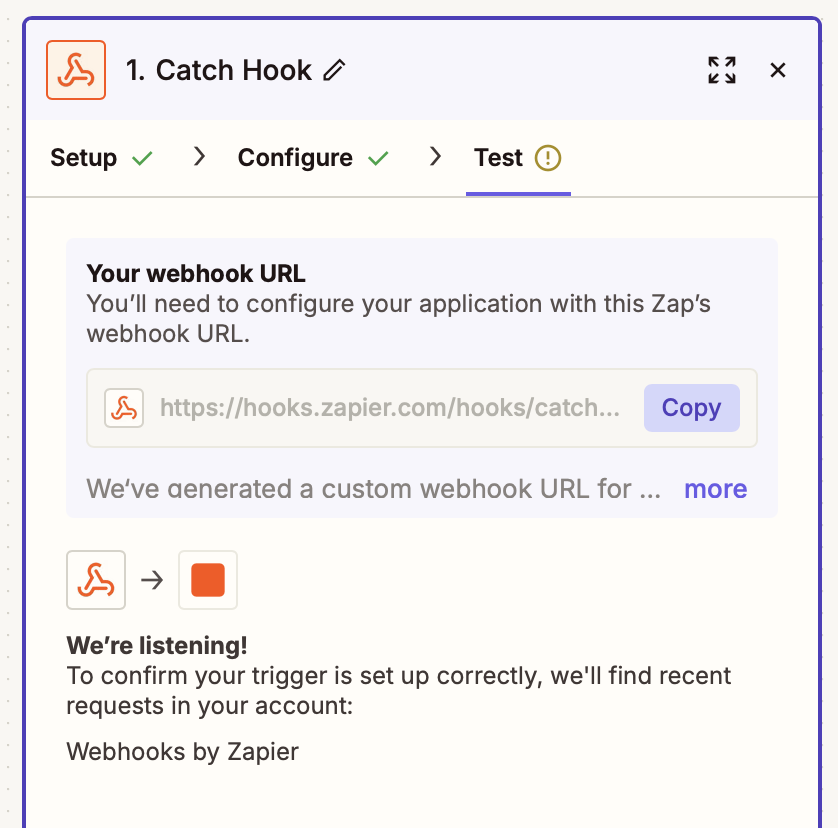
- Now, Make.com is waiting for a first event to confirm everything is working. Let's send the event:
- Click on Copy
- In Unipile's Dashboard, Add Endpoint from the Webhooks tab.
- Paste the copied value to Endpoint URL.
- Select the event(s) that should trigger the Webhook. For this example, select
email.new. Then save by hitting Add Endpoint. - Refer to Test & Debug webhooks to send a Test event.
- You should now see We found records in your Webhooks by Zapier account in Zappier.
- Click on Continue with selected record
- You can now use data from the payload of the webhook in the following steps of your zap.
Make actions with Methods
It's not yet possible to make custom API Calls using Zappier.
Read more : https://help.zapier.com/hc/en-us/articles/12899473501453-API-Request-actions-in-Zapier#h_01JKRBY68CJP0T6CMDTFGBNE2M
Updated 7 months ago
Did this page help you?