
Authenticate Requests
Create, secure, and use API Keys to authenticate requests to Unipile.
What is an API Key?
An API Key is a secret token used to authenticate requests to Unipile. Every key belongs to one Application and defines which resources the request can access.
API Keys can be used to:
- Connect and reconnect provider accounts
- Call Methods API endpoints for connected accounts
- Manage Application resources, depending on the key's access level
- Restrict a customer or workspace to accounts in one Scope
Application boundary: An API Key can only access resources in its own Application. The key and the Account targeted by a request must belong to the same Application.
API Key Access Levels
Choose the least privileged key that supports your use case.
| API key | Account access | Application management | Recommended use |
|---|---|---|---|
| Service API Key | All accounts in the Application | Accounts, webhooks, Scopes, and Account API Keys | Your trusted backend and administrative services |
| Global Account API Key | All accounts in the Application | Cannot manage webhooks, Scopes, or API Keys | A trusted service that operates every account |
| Scoped Account API Key | Only accounts in one Scope | Cannot access accounts outside its Scope or manage Application-level resources | A customer, tenant, workspace, or business unit |
Service API Keys
A Service API Key has administrative access to its Application. It can:
- Connect, access, update, reconnect, and remove every account
- Create and manage webhook endpoints
- Create, update, enable, disable, and delete Scopes
- Create, list, and delete global or scoped Account API Keys
- Assign an unscoped account to a Scope
Service API Keys should only be used by a trusted backend. Never delegate one to a customer or include one in frontend or mobile application code.
Global Account API Keys
A global Account API Key can connect, access, and manage every account in its Application, regardless of Scope. It cannot manage webhooks, Scopes, or other API Keys.
Use a global Account API Key when a service needs access to all connected accounts but does not need administrative access to the Application.
Scoped Account API Keys
A scoped Account API Key is attached to one Scope and can only operate on accounts in that access boundary. It is the recommended key type for customers, tenants, or workspaces.
See Scopes for account assignment, authentication inheritance, Hosted Auth, webhooks, and the Scope lifecycle.
Creating an API Key
From the Dashboard
To create an API Key:
- Open your Application in the Dashboard
- Navigate to API Keys
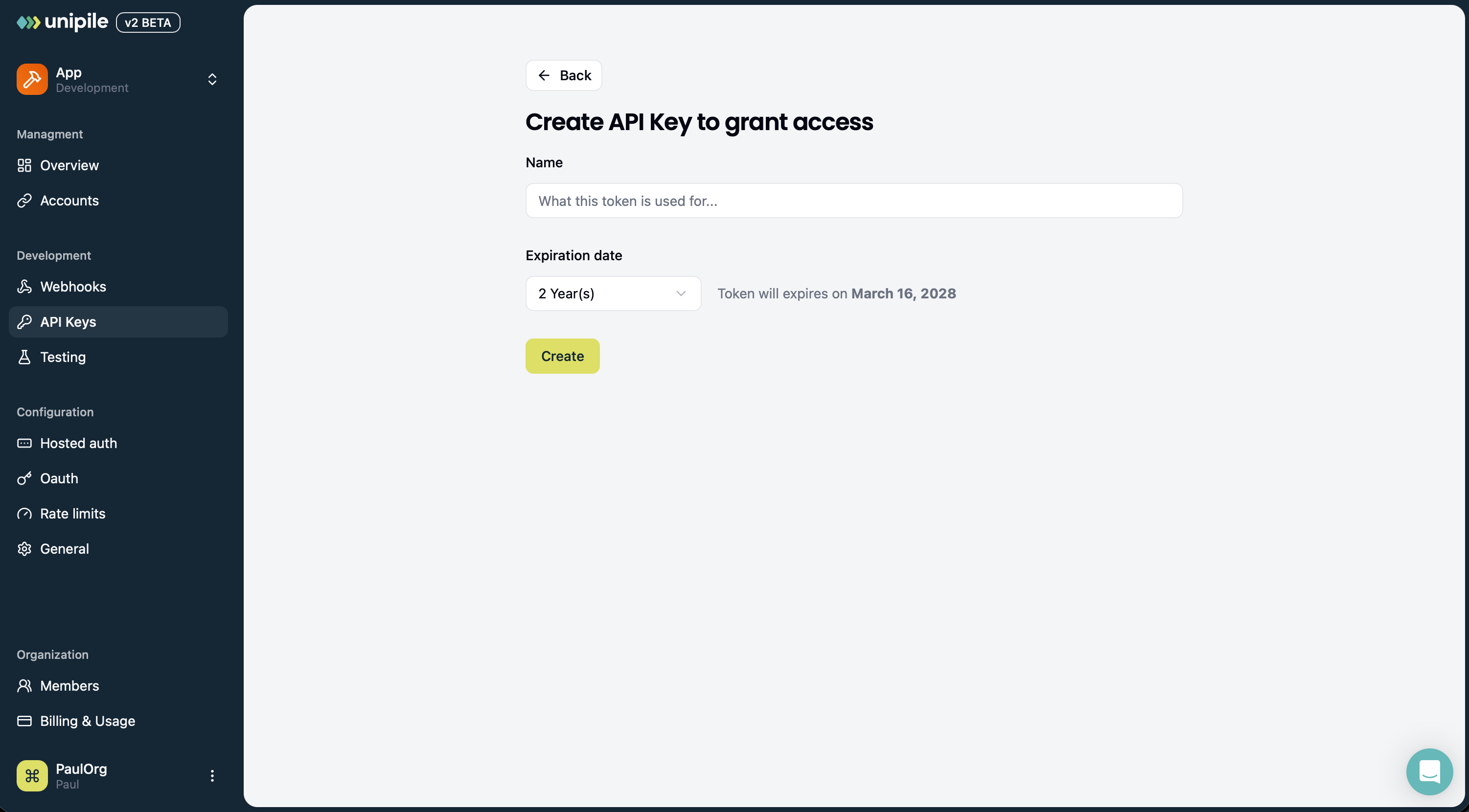
- Click Create API Key
- Enter an internal name
- Choose an access level
- For a scoped key, select an existing Scope or create a new one
- Select an expiration date
- Click Create
- Copy the token and save it immediately in a secure secret store
The complete token is displayed only once. If you lose it, create a new API Key and delete the previous one.
Dashboard Permissions
| Organization role | Development Application | Production Application |
|---|---|---|
| Member | Manage global and scoped Account API Keys | Read-only access to API Keys |
| Admin | Manage Service, global Account, and scoped Account API Keys | Manage all API Key types |
| Owner | Manage Service, global Account, and scoped Account API Keys | Manage all API Key types |
Only Organization Admins and Owners can create or delete Service API Keys.
Creating Account API Keys with the API
Service API Keys can use POST /v2/api-keys to create global or scoped Account API Keys programmatically. Service API Keys themselves can only be created from the Dashboard.
Create a Global Account API Key
Set the access type to global:
{
  "name": "Backend account key",
  "expires_at": "2027-01-01T00:00:00.000Z",
  "access": {
    "type": "global"
  }
}
Create a Scoped Account API Key
Set the access type to scope and provide an active Scope ID:
{
  "name": "Acme workspace key",
  "expires_at": "2027-01-01T00:00:00.000Z",
  "access": {
    "type": "scope",
    "scope_id": "scope_id"
  }
}
The Scope must be active and belong to the same Application as the Service API Key. See Creating and Managing Scopes to prepare the target Scope.
The response contains the new token:
{
  "object": "ApiKey",
  "id": "api_key_id",
  "api_key": "your-api-key"
}
Store the api_key value immediately. It is not returned by list operations and cannot be retrieved later.
Authenticating API Requests
Send the API Key in the X-API-KEY header on every request:
curl --request GET \
     --url https://api.unipile.com/v2/accounts \
     --header 'X-API-KEY: your-api-key' \
     --header 'accept: application/json'
The API resolves the Application and access level directly from the token. You do not need to send a separate Application or Scope header.
For a scoped key, account lists are automatically restricted to its Scope. See How Scope Isolation Works for filtering and out-of-Scope access behavior.
Go to API Usage for more information about request authentication and API responses.
API Key Information
An API Key record contains several different values:
- ID: A non-secret identifier used to manage or delete the key
- Prefix: A non-secret part of the token used to identify it in logs or the Dashboard
- Name: Internal metadata describing the key's purpose
- Role:
service,account, orscoped - Scope ID: The accessible Scope for a scoped key, otherwise
null - Issued at: When the key was created
- Expires at: When the token stops working
- Token: The secret credential, returned only at creation
The name, ID, and prefix do not authenticate requests. Only the complete token is a credential.
Listing and Deleting Account API Keys
Use a Service API Key to manage Account API Keys programmatically:
GET /v2/api-keyslists global and scoped Account API KeysDELETE /v2/api-keys/{api_key_id}immediately revokes an Account API Key
The list endpoint supports:
access=globalto return global Account API Keysaccess=scopeto return scoped Account API Keysaccount_scope_id={scope_id}to return keys assigned to a specific Scopeoffsetandlimitfor pagination
For security, these endpoints never expose or delete Service API Keys. Manage Service API Keys from the Dashboard.
Deleting an API Key does not delete its accounts. It only revokes the token's access.
Expiration and Rotation
Every API Key has an expiration date. After that date, requests made with the token fail with 401 - api/expired_authorization.
API Key secrets cannot be extended, regenerated, or revealed. To rotate a key safely:
- Create a replacement key with the same required access level
- Save the new token in your secret store
- Deploy the new token to every service that uses it
- Verify that requests succeed with the new token
- Delete the old key to revoke it
Rotate keys before they expire to avoid downtime. Keep the overlap between old and new keys as short as your deployment process allows.
Use clear names such as
production-webhook-workerortenant-123-backendso you can identify the owner and purpose of each key during rotation or incident response.
Security Best Practices
- Keep keys server-side: Never expose a token in browser code, mobile apps, public repositories, screenshots, or support tickets
- Use a secret store: Store tokens in an encrypted secrets manager, not directly in source code
- Apply least privilege: Prefer Account API Keys over Service API Keys and scoped keys over global keys whenever possible
- Separate environments: Use different Applications and API Keys for Development and Production
- Use short, appropriate expirations: Match the lifetime of a key to the service or customer that uses it
- Avoid logging tokens: Redact the
X-API-KEYheader in application, proxy, and monitoring logs - Rotate regularly: Replace keys on a schedule and before their expiration date
- Revoke compromised keys immediately: Delete a leaked key, create a replacement, and investigate where it was exposed
For suspending all scoped access for one tenant without deleting its keys, see Disabling and Enabling a Scope.
Anyone who obtains an active API Key can use all permissions granted to that key. Treat it like a password.
Inspect keys in the Dashboard
The API Keys page separates Service API keys from Account API keys. Each row identifies the key and its access level, creation and expiration dates. Account keys can be filtered to Global or to a specific Scope. Use Load more when more keys are available.
To revoke a key, open its actions menu, choose the deletion action, and confirm. Service keys require an Admin or Owner in every environment; Members can manage Account keys only in Development. Deleting a key does not disconnect its provider accounts.
For an AI client, open Overview → Connect my project → MCP. Enable Access connected accounts, then create a dedicated Scope, assign its accounts, and create a scoped Account API Key. The guide provides shortcuts to Scopes and the key creation form; it does not generate a key automatically. See Developer MCP.
Updated about 13 hours ago