Transfer Subscription & Accounts
This guide explains how to transfer your existing V1 subscription to V2 and optionally migrate your accounts and settings.
Important notice about transferring your V1 subscription to V2V2 is currently in beta. During this period, you can transfer your existing V1 subscription to use both V1 and V2 under a unified billing model.
During the beta, we do not charge the combined usage of both versions. Instead, we only bill the highest usage amount between your V1 and V2 usage. This allows you to gradually migrate to V2 without incurring additional costs, as long as your overall usage remains similar to your current subscription level.
For example, if your current V1 subscription covers 100 accounts of usage, you can use V2 up to that same level during the beta without paying extra.
Please note that this behavior is temporary and only applies during the beta period. Once V2 exits beta, V1 and V2 usage will be billed independently and added together if you continue using both versions simultaneously. At that point, transferring your subscription will only serve to centralize billing under a single subscription.
If you choose not to transfer your subscription, you can also maintain separate subscriptions for V1 and V2, but the total cost will be the combined usage of both versions, even during beta.
How to transfer subscription and accounts ?
- Sign up on v2
- Create your Organization
- Create a new Application
- Create a new API Key in that Application and copy it.
- Login to v1
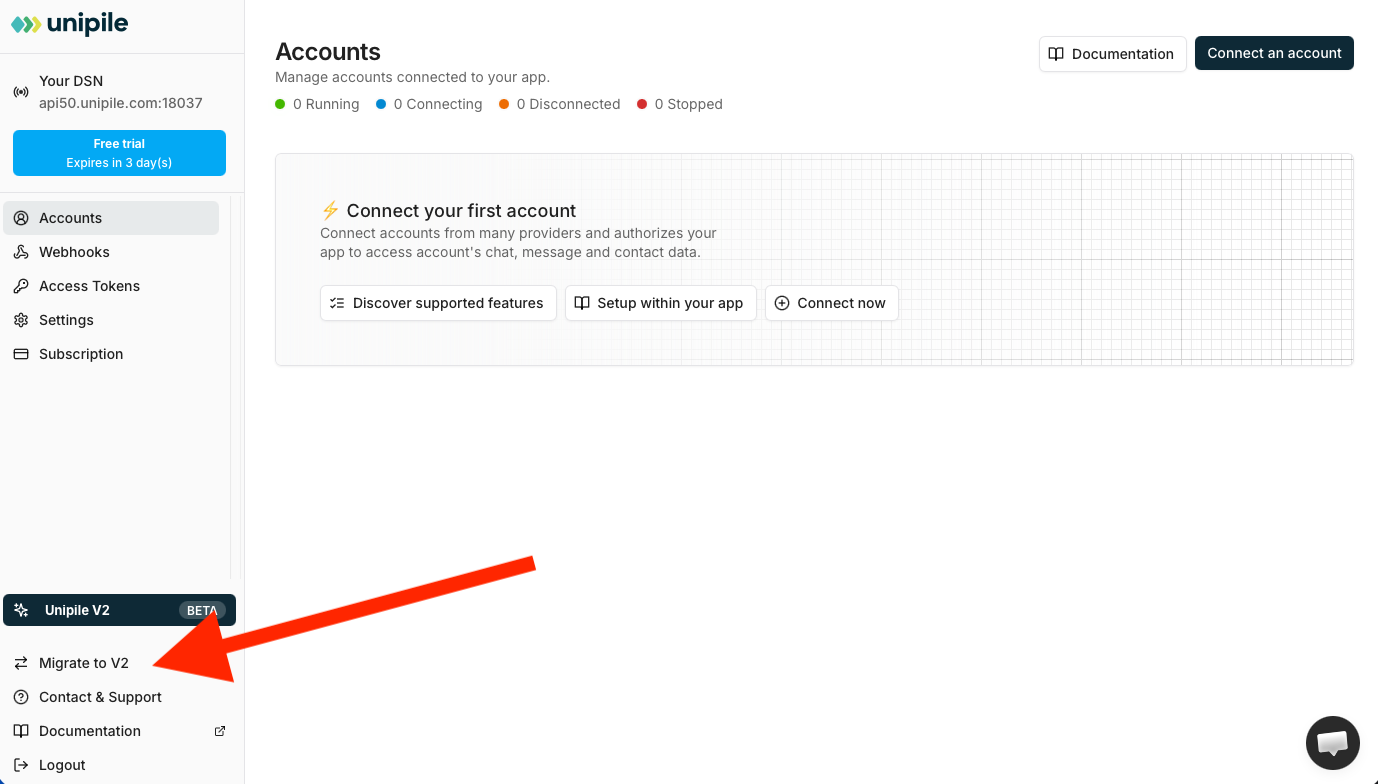
- Click on Migrate to V2
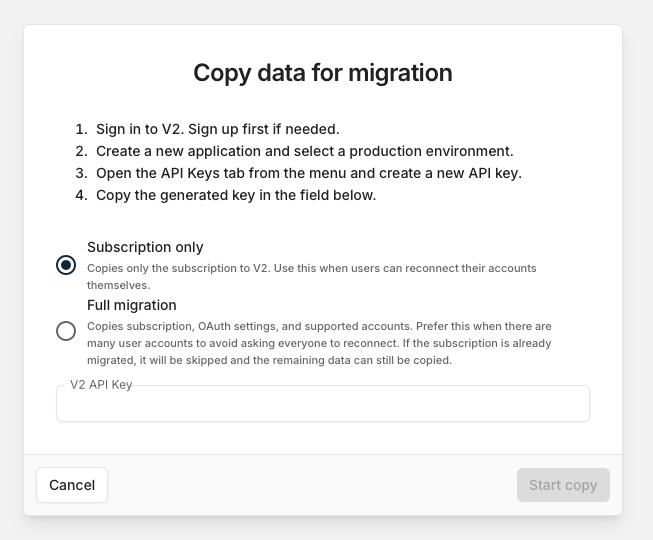
- Click continue then select what do you want to transfer to v2. Either the subscription only so you can work from scratch, or subscription with accounts and settings (this can be useful if you have a lot of accounts).
- Paste the copied API Key from v2 then Start copy.